Datastores
Replibyte supports multiple datastores like AWS S3, GCP Cloud Storage (any other S3 compatible service), and your local disk.
AWS S3
You can use the default ways of configuring AWS credentials, but if you need to specify customized credentials or a profile to use you can do so via the datastore configuration.
Generate API Keys
To generate your API keys:
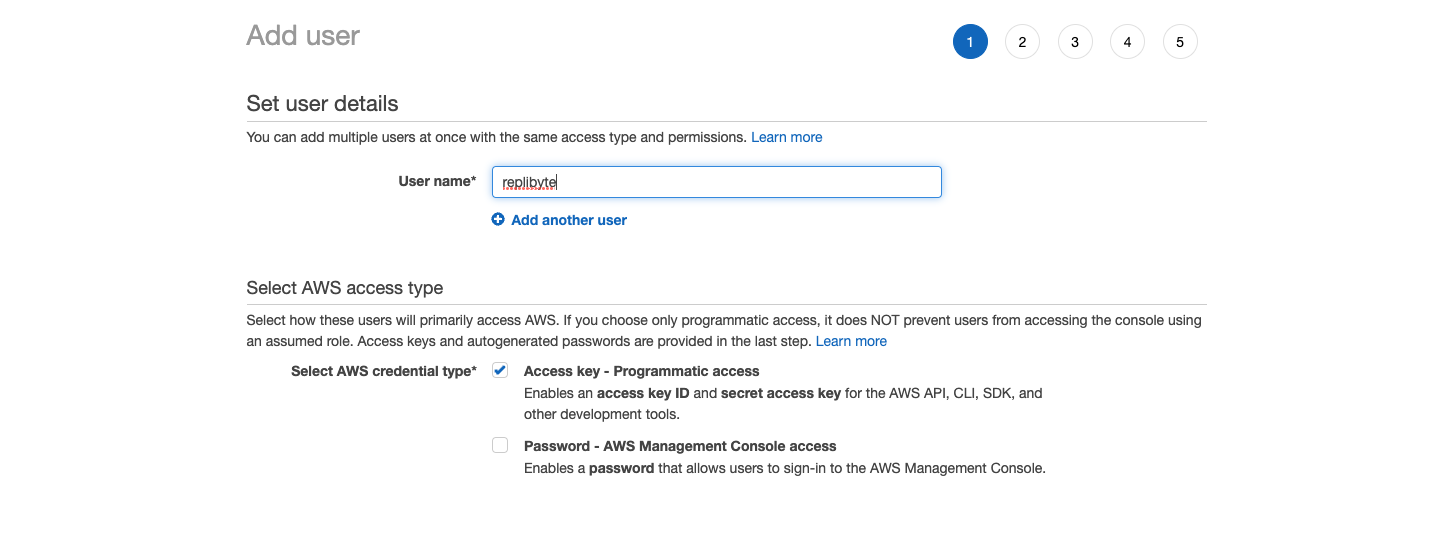
Sign in into your AWS console
Click on IAM or search for IAM
Select the Users page.
Click on Add users.
Create a user with "Access Key - Programmatic Access"
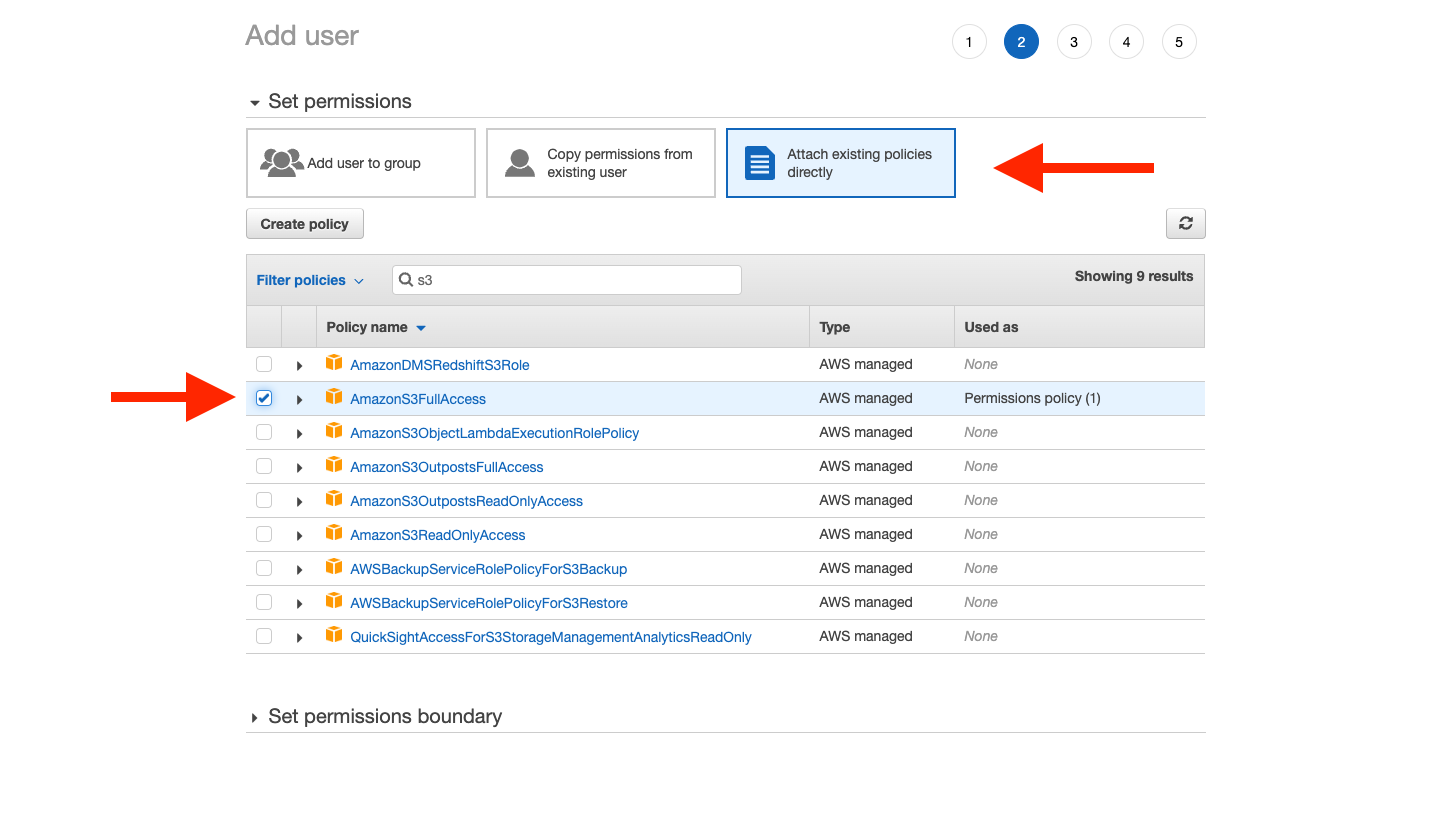
caution
Restrict access as much as possible. Replibyte just need write/read access within a dedicated bucket.
- Set the permissions you need for this user.
Here's an example IAM Policy for a user to be able to read/write to a specific bucket.
{
    "Version": "2012-10-17",
    "Statement": [
        {
            "Sid": "VisualEditor0",
            "Effect": "Allow",
            "Action": [
                "s3:Get*",
                "s3:List*",
                "s3:Put*"
            ],
            "Resource": [
                "arn:aws:s3:::your-bucket-name-here",
                "arn:aws:s3:::your-bucket-name-here/*"
            ]
        }
    ]
}
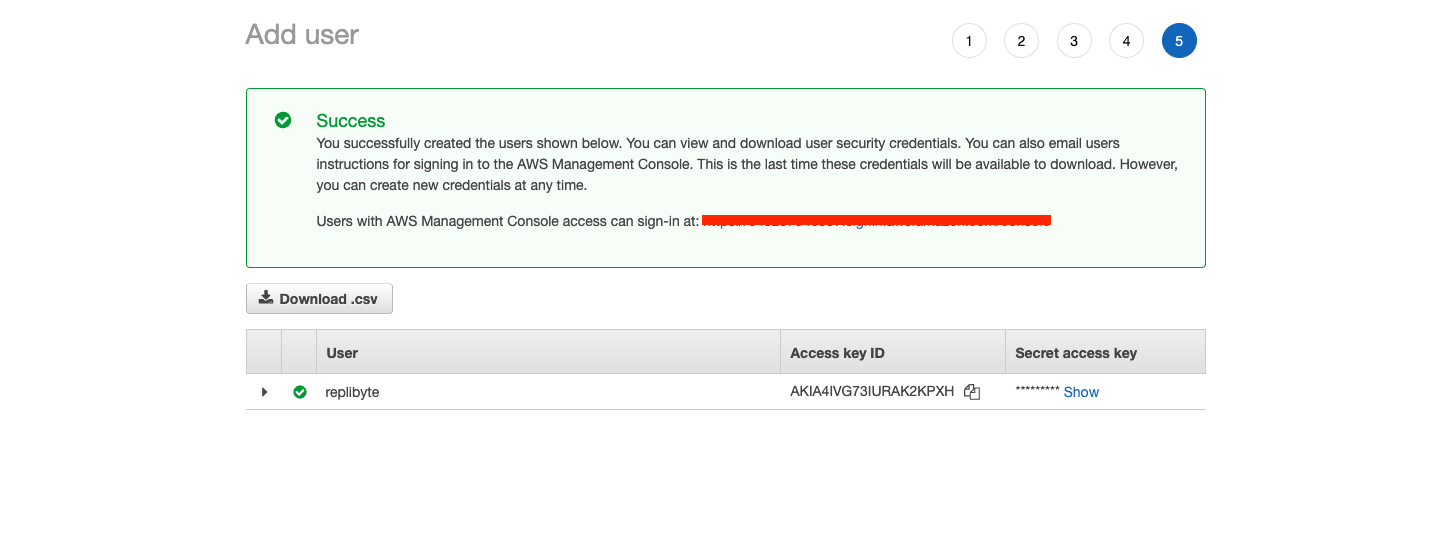
- Copy the Access key and the Secret
Replibyte configuration
Here is the datastore configuration to use:
...
datastore:
  aws:
    bucket: <your_bucket>
    profile: <your_profile> # optional
    region: <your_region> # optional
    credentials: # optional
      access_key_id: XXX
      secret_access_key: XXX
      session_token: XXX # optional
...
You can omit the optional properties in which case the default configuration mechanisms will be used, like with the AWS CLI.
GCP Cloud Storage
Generate API Keys
To generate your API keys compatible with the S3 protocol:
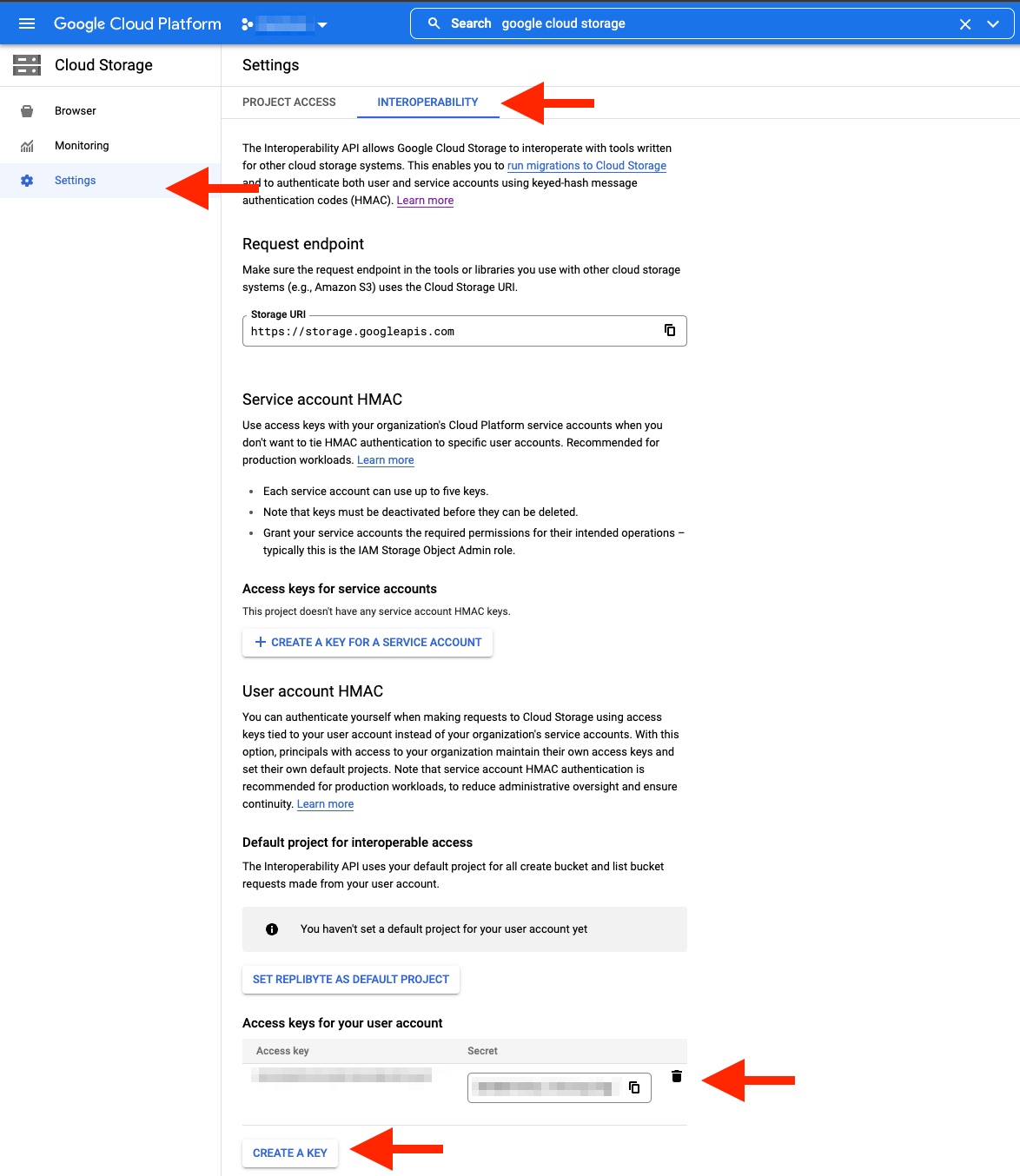
- Sign in into your GCP console
- Click on the Cloud Storage
- Click on the INTEROPERABILITY tab
- Click on CREATE A KEY
- Copy the Access key and the Secret
Create bucket
Replibyte does not create the bucket automatically for GCP Cloud Storage. You'll need to create it manually.
caution
Do not turn on object "versioning".
Replibyte configuration
Here is the datastore configuration to use:
...
datastore:
  gcp:
    bucket: your-bucket-name
    region: us-central1
    access_key: $GS_ACCESS_KEY
    secret: $GS_SECRET
...
You can find the GCP Cloud Storage bucket locations here.
Other S3 compatible
Refer to AWS S3 for the default S3 wire compatible protocol and the custom endpoint parameter:
...
datastore:
  aws:
    bucket: <your_bucket>
    region: <your_region>
    credentials:
      access_key_id: XXX
      secret_access_key: XXX
    endpoint:
      custom: 'https://your-s3-compatible-endpoint'
...
access_key_id and secret_access_key must be valid hash-based message authentication code (HMAC) keys. Refer to the service to use to get those keys.
Local disk
Create a directory
Replibyte does not create the directory automatically for you. You'll need to create it manually.
For example, you can create a directory by running:
mkdir /data/replibyte
Replibyte configuration
Here is the datastore configuration to use:
...
datastore:
  local_disk:
    dir: <your_directory_path>
...
dir must be a readable and writable directory to the user running replibyte.
So, to use our previously created /data/replibyte directory, the datastore config must be:
...
datastore:
  local_disk:
    dir: /data/replibyte
...
Add another datastore
Do you need another datastore? Replibyte is extensible and any datastore can be supported. You are free to contribute by opening an issue or/and a pull request.
To contribute, please see the contributing page.